

This tab gives you tools to help you follow telemarketing rules. Everything here controls when, where, and under what rules your AI agent is allowed to make calls. You stay responsible for following the laws that apply to your calls, and nothing on this page is legal advice.
🕐 Schedule
Define the specific times this agent is permitted to make calls.
🗺️ Calling Region
Select the US states this agent is allowed to contact.
🛡️ Compliance Protections
Choose which compliance safeguards should be enforced automatically.
🕐 Section 1 — Schedule#
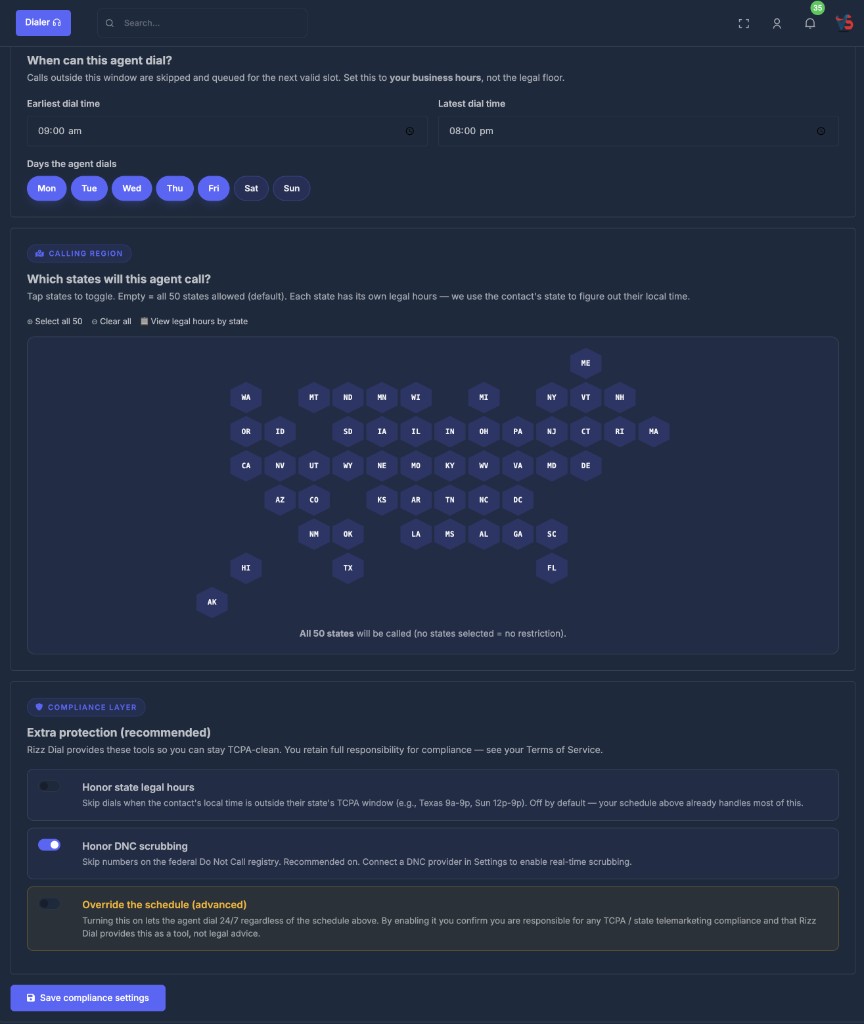
Question it answers: When is this agent allowed to dial?
⏰ Earliest & latest dial time#
Set a start time and end time for the calling window.
- A call outside this window isn't placed. Depending on where it came from (for example a campaign or a workflow step), it is held and tried again later, or it is skipped.
- Example: Set
09:00to17:00and the agent will only call between 9 AM and 5 PM.
📅 Calling days#
Seven day-chips appear: Mon, Tue, Wed, Thu, Fri, Sat, Sun
- Click a chip to turn that day on (highlighted = active).
- Click again to turn it off.
- The agent will only dial on days that are active.
| Common setup | Days to activate |
|---|---|
| Standard business week | Mon → Fri |
| Including Saturday outreach | Mon → Sat |
| 7-day campaign | All 7 days |
🗺️ Section 2 — Calling region#
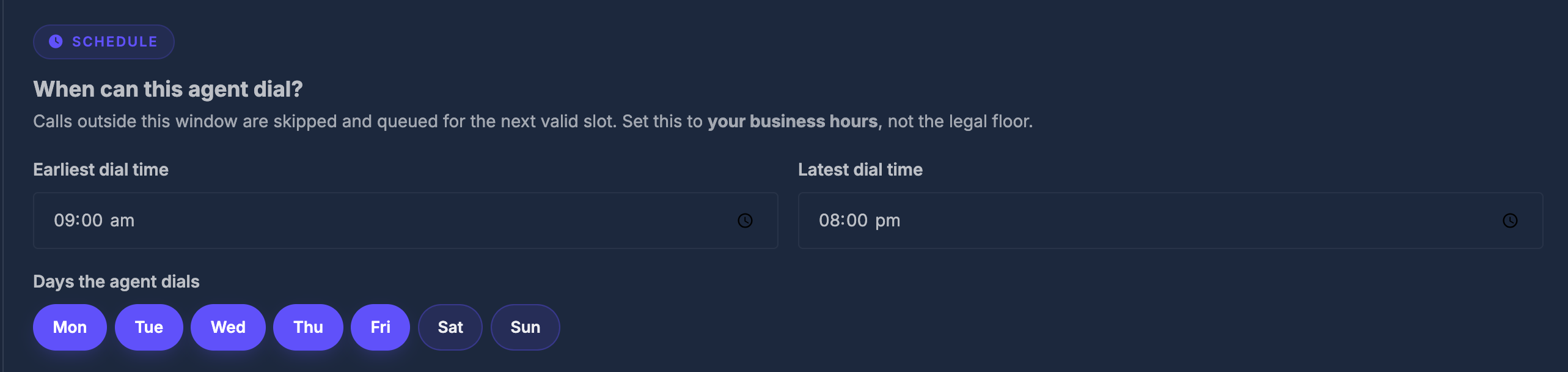
Question it answers: Which US states is this agent allowed to call into?
🌎 The interactive state map#
A hex-grid map of the United States lets you visually select states one by one. Each state is a clickable hexagon.
- Click a state → it highlights (selected / allowed).
- Click again → it deactivates (blocked).
🔗 Quick-action links above the map#
| Link | What it does |
|---|---|
| ⊕ Select all 50 | Activates every state at once |
| ⊖ Clear all | Removes all state selections |
| 📋 View legal hours by state | Opens a reference table (see below) |
✅ No states selected = all states allowed#
If you leave the map completely empty (no states highlighted), the agent treats that as no restriction — it can call all 50 states. Select specific states only if you want to restrict calling to certain regions.
📋 Legal hours reference table#
Click "View legal hours by state" to open a popup table showing every state's legal calling window, for example:
| State | Weekdays | Sunday | Notes |
|---|---|---|---|
| Texas | 9am – 9pm | 12pm – 9pm | Sundays restricted |
| California | 8am – 9pm | 8am – 9pm | Federal floor |
| Florida | 8am – 8pm | 1pm – 8pm | Stricter than federal |
This is a reference only. The Honor state legal hours toggle in Section 3 below applies these rules to your calls. It is on by default.
🛡️ Section 3 — Compliance layer#
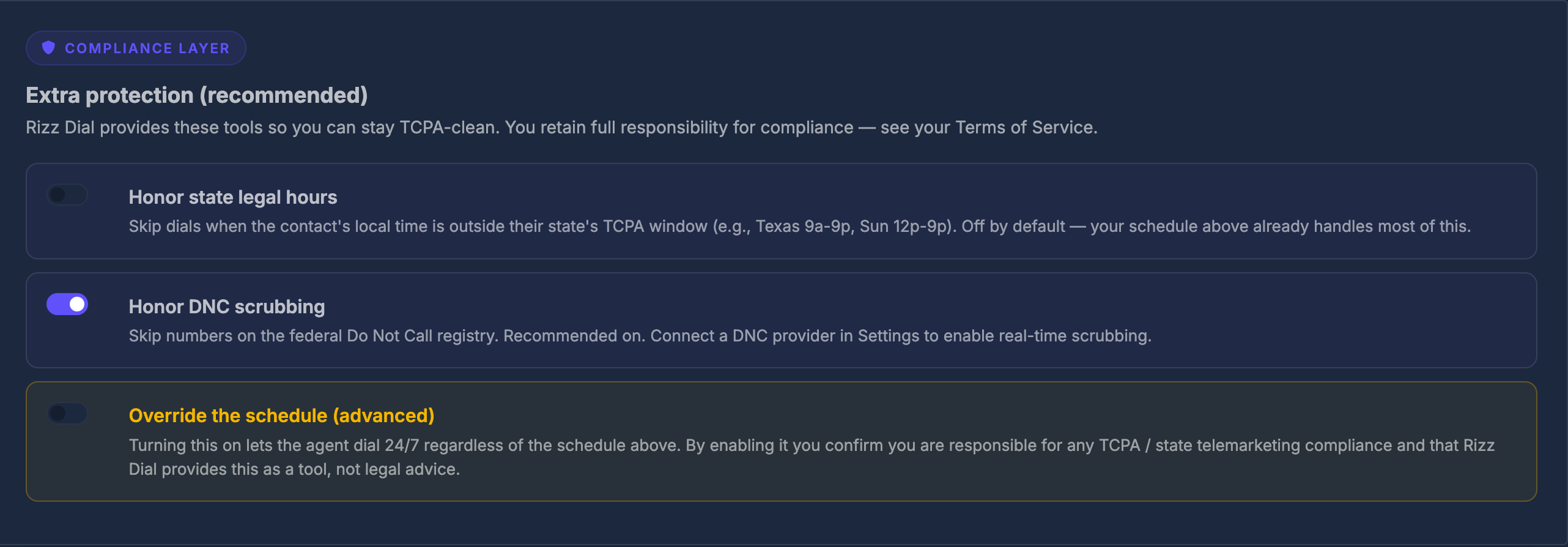
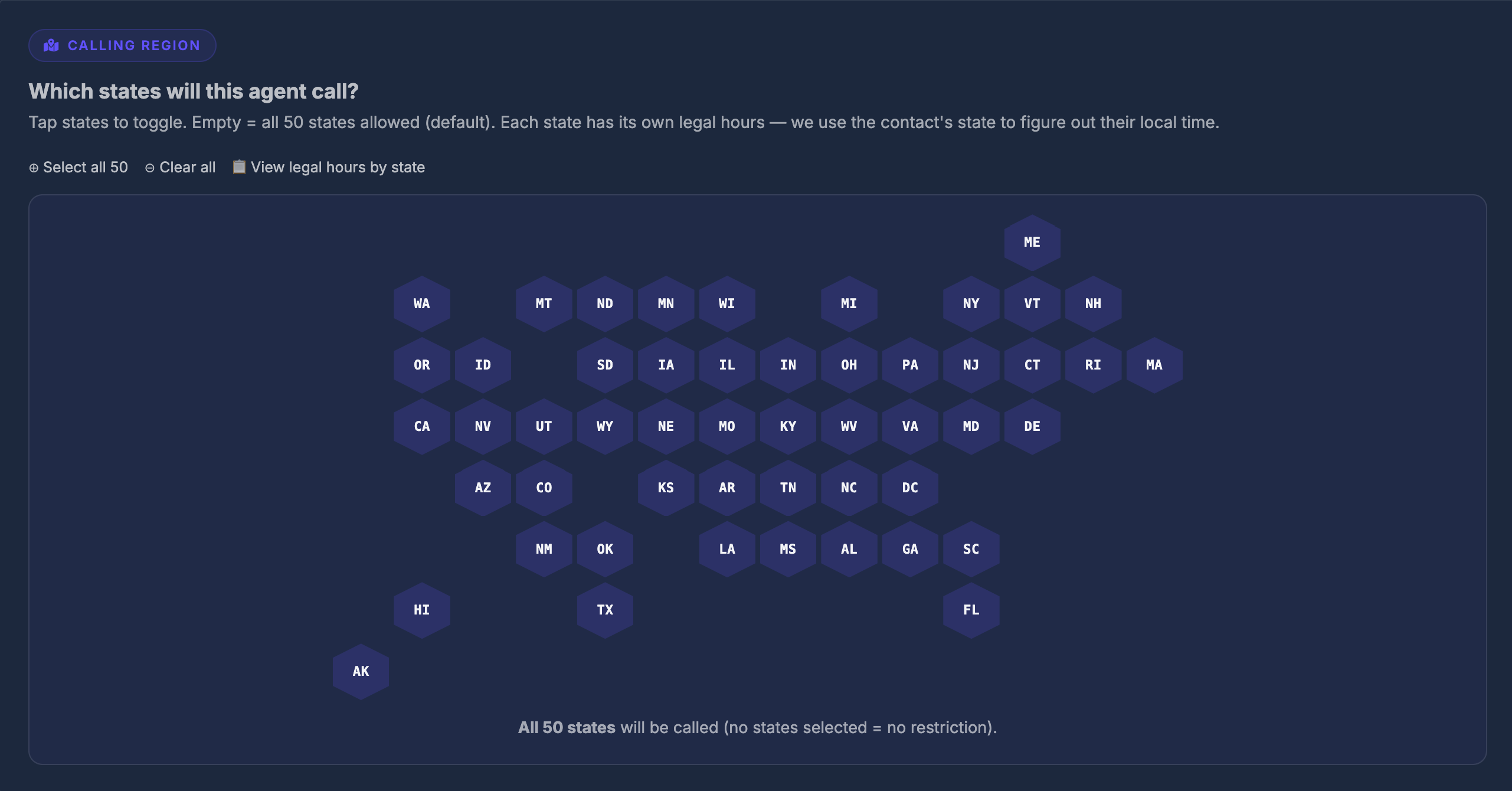
Question it answers: What extra automatic protections should be active?
Three toggles, each controlling a different layer of protection.
⚖️ Toggle 1 — Honor state legal hours#
| OFF | ON (default) | |
|---|---|---|
| What happens | The contact's local calling hours aren't checked. Your schedule (Section 1) still applies | The system also checks the contact's local time, worked out from their phone number's area code, before dialing |
A new agent starts with this toggle ON. It only turns off when you switch it off and click Save compliance settings.
Example of why this matters:
Your schedule says 8 AM – 9 PM. A contact lives in Florida, where the table above ends the calling day at 8 PM. With this toggle OFF, the agent might call that Florida contact at 8:30 PM their time. With this toggle ON, the system sees it is 8:30 PM in Florida and holds the call until the next allowed window.
Turn this ON if:
- You are calling contacts across multiple US states
- Your contact list spans different time zones
- You want AI Sync to check each contact's state calling hours for you
🚫 Toggle 2 — Honor DNC scrubbing#
The name says "scrubbing", but this toggle does not check any outside Do Not Call registry. AI Sync has no registry lookup, and there is no DNC provider to connect in your account settings.
| OFF | ON (default) | |
|---|---|---|
| What happens | The agent ignores a do-not-call flag in your lead data | The agent doesn't call a number your lead data marks as do-not-call |
What counts as a flag. A contact field named DNC or Do Not Call, or a DNC field for one of the contact's phone numbers, set to Yes, Y, True, 1 or DNC. These usually come in with an import or from your lead source. A flag on one phone number covers only that number. A contact-wide flag covers all of them.
Where it applies. Every AI call this agent makes: single calls, AI campaigns, workflow calls and calls your AI assistant starts. AI campaigns leave these leads out, so a campaign can still finish. The flag is checked before calling hours, so a manual run or a switched-off hours rule doesn't get past it.
Only a saved OFF lifts it. An agent you never saved, or one saved with this switch ON, honors the flag. Switch it OFF only for leads you're allowed to call anyway, for example people who gave you written consent.
Do Not Call is enforced separately, whatever this toggle says. Before every outbound AI agent call, AI Sync always checks three things. None of them can be switched off here.
- The contact is not on Do Not Call. This means the All or Calls switch is on for that contact, or for any other contact with the same number.
- The number is not on your account's Do Not Call list.
- The lead hasn't texted STOP. A lead who replied STOP isn't called until they reply START. See Do Not Contact & STOP.
A number that fails any of these checks isn't called. To change a contact's switches, see Do Not Contact & STOP.
AI Sync does not check numbers against the national Do Not Call registry. You are responsible for checking your lists against any registries that apply to you.
⚠️ Toggle 3 — Override the schedule#
This is a high-risk setting — read carefully before enabling.
When this is turned ON, the agent stops following the rules you set on this tab:
- Your earliest and latest dial time from Section 1 are ignored
- Your calling days from Section 1 are ignored
- Your calling region (the state map in Section 2) is ignored
What still applies when Override is ON:
- Do Not Call. A contact with the All or Calls switch on, a number on your account's Do Not Call list, or a lead who texted STOP is still not called. With Honor DNC scrubbing ON, a do-not-call flag in your lead data still applies too.
- The contact's local calling hours. If Honor state legal hours is ON, the system still checks the contact's local time, worked out from their phone number's area code, and holds the call until it is allowed. That check is controlled by the Honor state legal hours toggle, not by Override.
- Supported destinations. AI agents only call valid US and Canadian numbers.
So Override does not make the agent dial 24 hours a day, 7 days a week.
By enabling this toggle, you confirm:
- You personally accept full responsibility for any compliance issues
- You are responsible for any TCPA and state telemarketing rules that apply to your calls
- AI Sync provides this as a tool, not legal advice
Only use this for:
- Emergency or time-sensitive services with prior express consent
- Situations where you have confirmed written authorization from contacts
- Internal testing environments (never production calling lists)
📢 The override banner
When Override is active, a blue information banner appears below the compliance settings:
Override active. The schedule and state legal hours are bypassed for this agent. Logged on the agent record.
This banner is a reminder. It does not list the checks above that still apply, and it stays until you turn the override off.
💾 Saving your settings#
Click the Save compliance settings button at the bottom.
- A success message confirms the save:
✓ Saved - Changes take effect on the next call placed by the agent