Your dashboard shows a Get set up list. Each step turns green when it's really done, read from your account, not ticked by hand. Work through it top to bottom and you're ready to run ads, call every lead in seconds, and follow up until they book.
The fastest way: connect your AI assistant first (two minutes, works with Claude, ChatGPT and Codex). Then tell it "Help me finish my AI Sync setup and launch my first campaign." It reads this same list and walks you through each step, one at a time.
Find your way around#
The platform wordmark sits at the top of the menu. Your company card is below it, so you can see which workspace you are using.
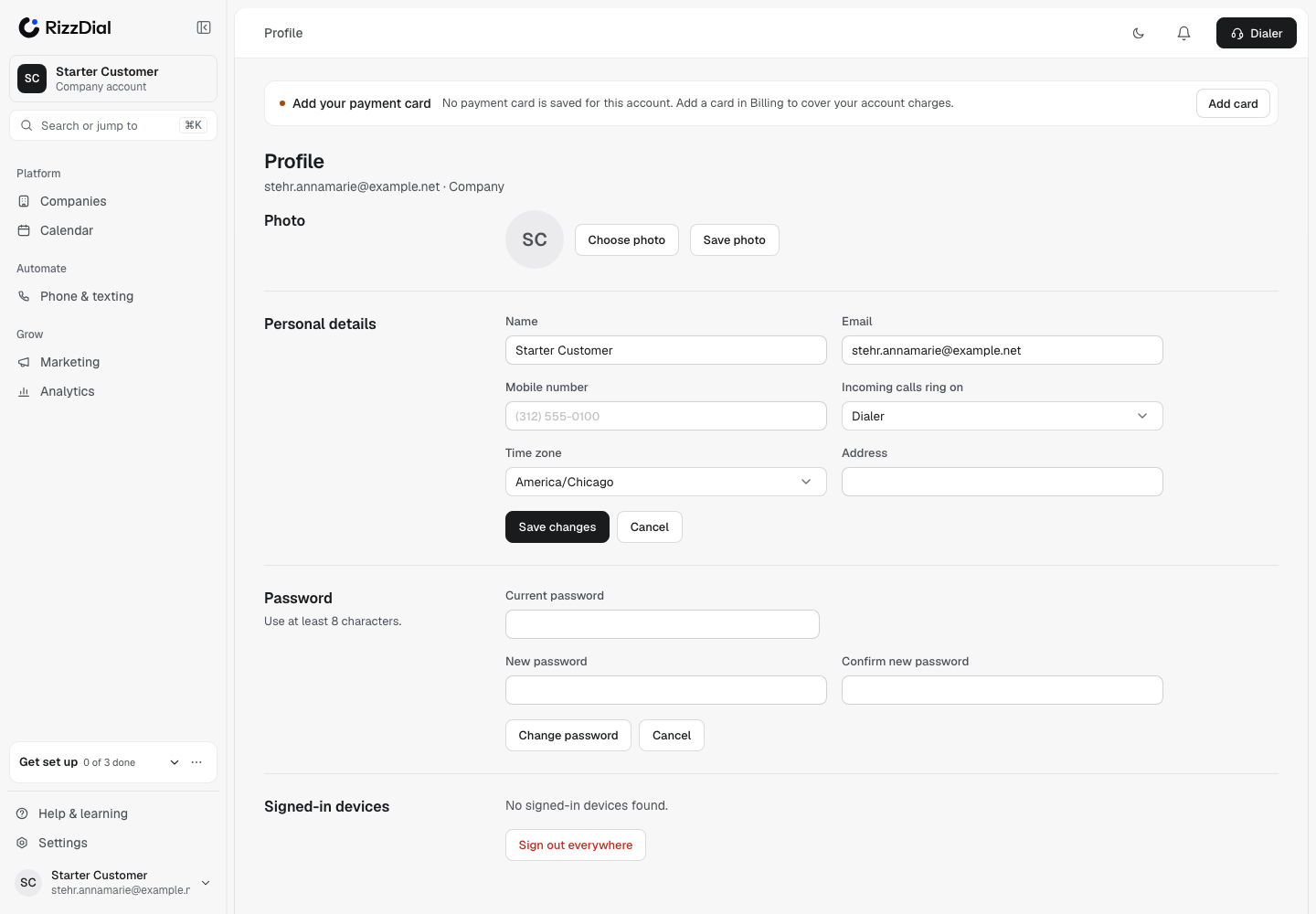
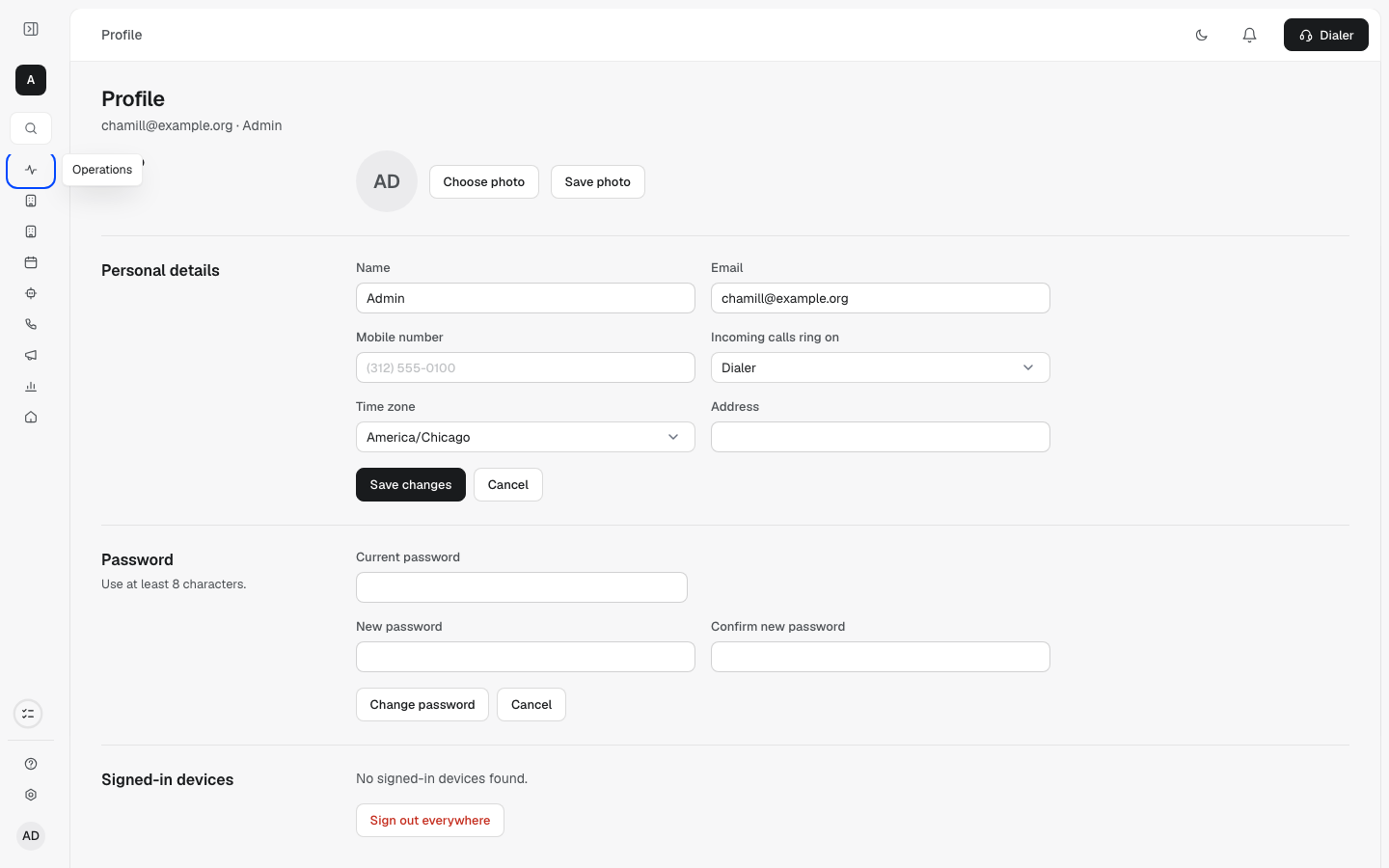
On a desktop, choose Collapse menu beside the wordmark to make room for your work. Choose Expand menu to open it again. Hover over an icon in the collapsed menu to see its name; keyboard focus shows the name too. Collapsing keeps your expanded menu width for when you open it again. The pages you see depend on your account and role.
To adjust the expanded menu width, hover over its right edge and drag the short grip. You can also focus the divider with Tab, use the left and right arrow keys, or double-click to reset its width. Resizing keeps the grip neutral, regardless of your workspace accent.
On a phone, use the menu button to open the navigation drawer.
✅ The steps#
| # | Step | Why it matters | How |
|---|---|---|---|
| 1 | Get numbers | Your team and AI agents need numbers to call from. | Phone numbers |
| 2 | Set up texting lines | Text leads from a registered number, or from iMessage (blue bubbles). | Texting lines |
| 3 | Connect calendar | Where booked appointments land: GoHighLevel, Google, or AI Sync's own calendar. | Calendar |
| 4 | Set up AI agents | An agent that answers calls and one that calls new leads, qualifies and books. | AI agents |
| 5 | Set up your power dialer | A list of leads for your reps to call. | Power lists |
| 6 | Set up incoming calls | Who answers when a lead calls back. | Incoming calls |
| 7 | Send email from your domain | Follow-up emails come from your business and land in the inbox, not spam. Add 3 DNS records once. | Email domain |
| 8 | Connect Meta Ads | Facebook and Instagram leads flow straight in. | Meta Ads |
| 9 | Connect your Meta Pixel | Meta learns which leads book and buy, and finds more like them. | Meta Pixel |
| 10 | Connect your AI assistant | Claude, ChatGPT or Codex can build and run everything with you. | Connect your AI |
| 11 | Build your workflows | Follow-up that runs by itself: AI call in a minute, then texts, calls and emails until they book. | Workflows |
You'll only see the steps your plan includes.
🚀 Then launch your first campaign#
- Connect your website or funnel so its leads come in with their ad source and consent: Website lead forms.
- Build a follow-up workflow. Start it with the AI Call step, then texts, calls and emails over the next weeks. In the workflow's Settings, turn on stop when they reply, stop when they book, and one active run per contact.
- Create and launch your ads in Ads Manager, on Meta or Google. Nothing spends until you approve the preview.
- Watch results on the campaign: leads, conversations, booked, showed and sold, with cost per booked call.
Using an Instant Form with AI calls? Ask your AI assistant to add a consent checkbox to the form. It's one line in your request, and it's how your leads agree to calls and texts, including from AI.